Congregations enter their voting delegates for General Assembly on the church record in ALEX. Entering voting delegates requires the Church Staff role.
To enter delegates, open the church record by clicking View/Edit Church link in the Church section of the ALEX home page. The General Assembly Delegate Assignments pane appears in the right-hand column, immediately below the Yearbook Reporters pane.
 The pane will list the congregation's voting delegates or will display No delegates assigned. To add delegates or update the list, click the Edit Delegates button.
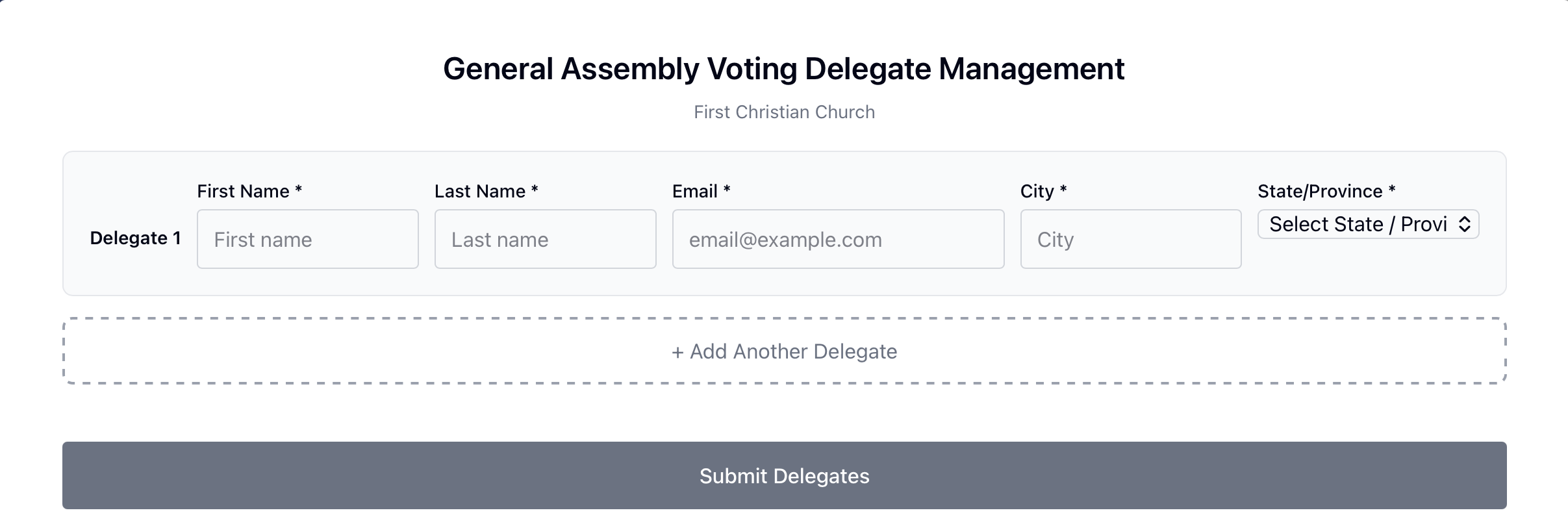
A window will open where you can add, update, and remove voting delegates for the congregation. Enter delegates or make any needed changes. Click Submit Delegates when finished.
Was this article helpful?
That’s Great!
Thank you for your feedback
Sorry! We couldn't be helpful
Thank you for your feedback
Feedback sent
We appreciate your effort and will try to fix the article